
Set up in two minutes. Played every day.
Set up the family
Sign in with Apple, add the kids by first name and pick a few starter jobs.
Kids join with a code
Show a six-digit code on your phone. They type it on theirs and make their player.
Everyone plays
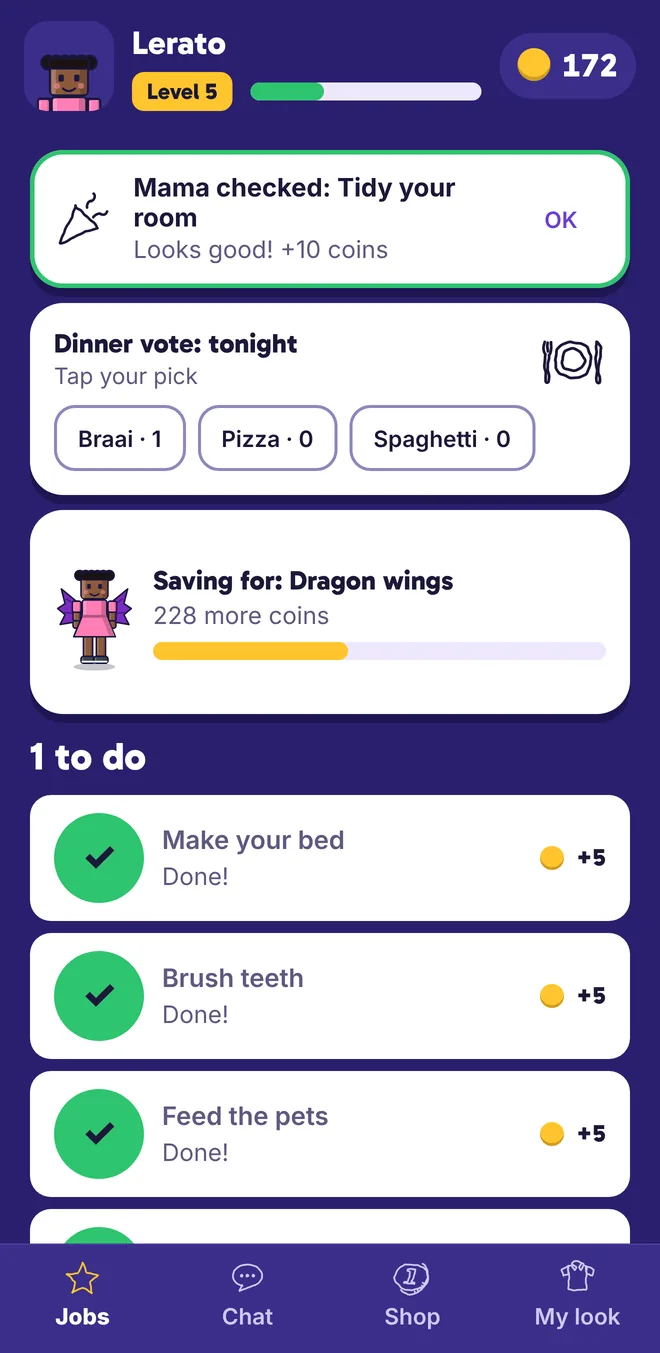
Kids tick jobs and earn coins. You check the ones that need a look. The coins buy capes and crowns.
Jobs become a game
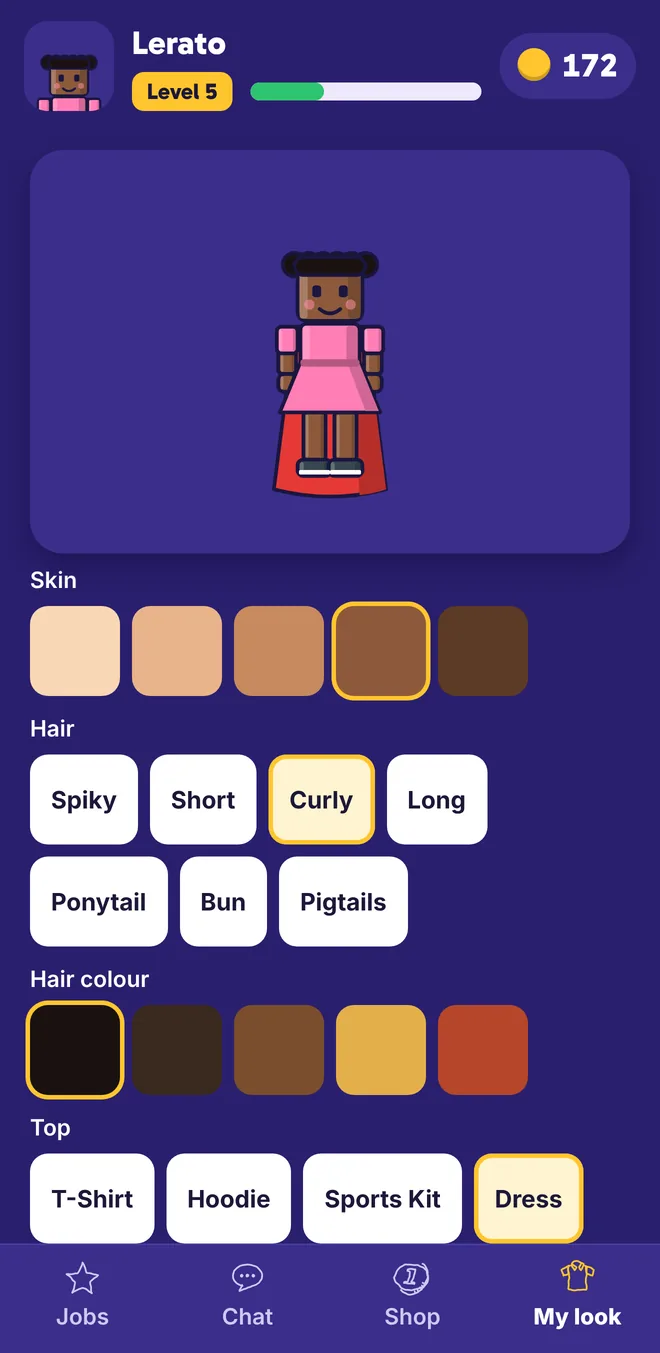
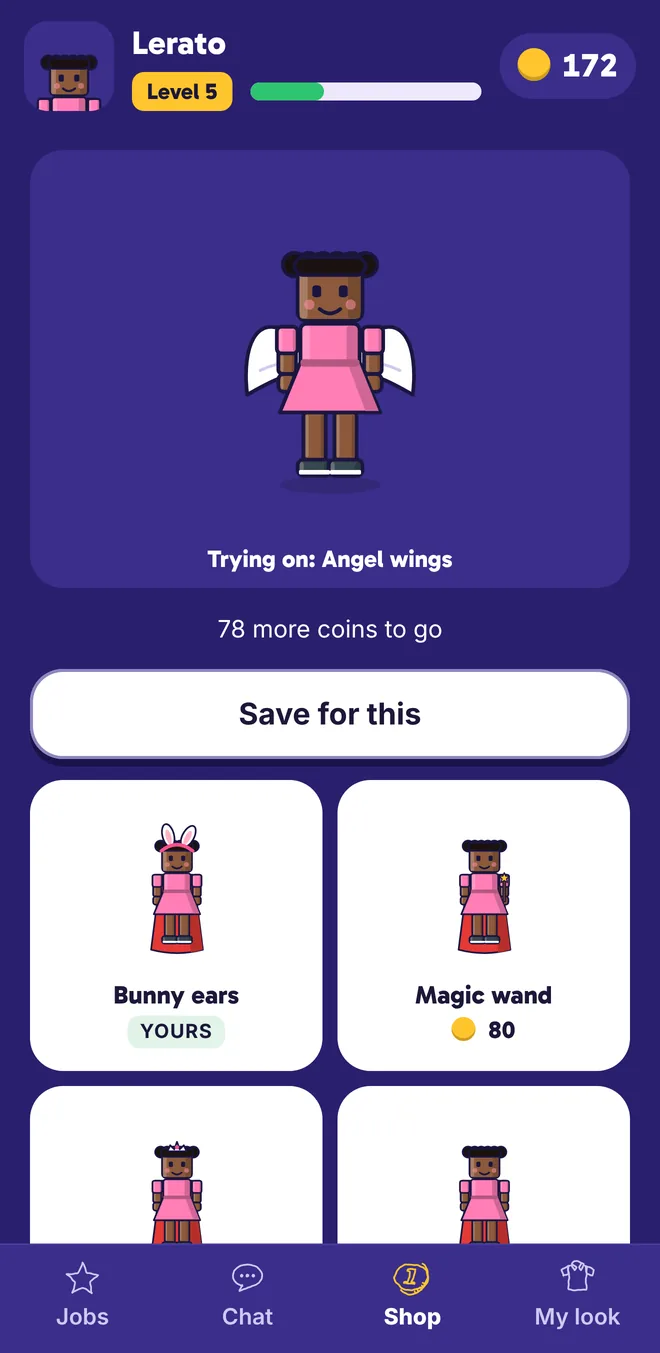
Every job pays coins. Coins buy capes, wings, crowns and armour for a player that looks just like them.
- Coins and levelsSpending never knocks a level down, so saving up feels good.
- The family chestEvery job fills it. At 20 jobs a week it opens and every kid gets a bonus.
- Something to save forPick a goal in the shop and watch the bar fill up.
See who’s done what, at a glance
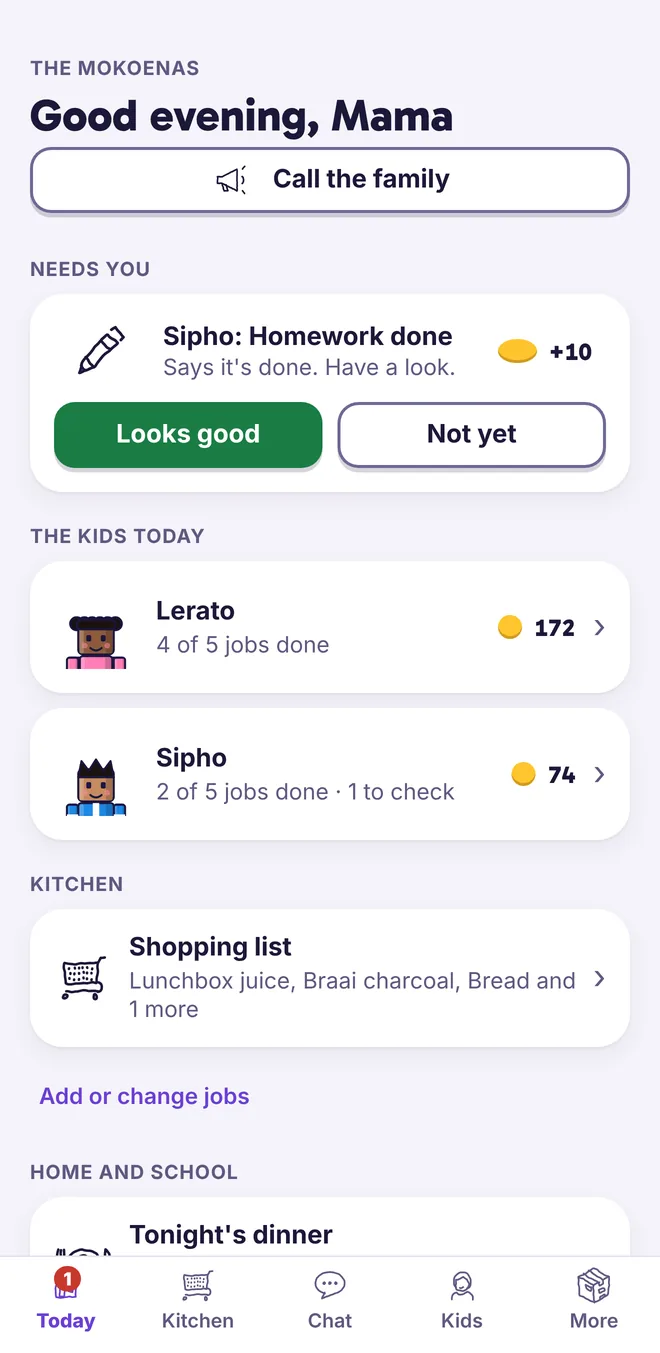
No more asking twice. The kids’ jobs show up on your phone as they’re done.
- Check what needs checkingTidy rooms and homework wait for your OK before the coins pay out.
- Kids without a phoneTick for them on your phone or on the kitchen screen.
- Run the house togetherInvite the other grown-ups with a WhatsApp link.
Bedtime, sorted
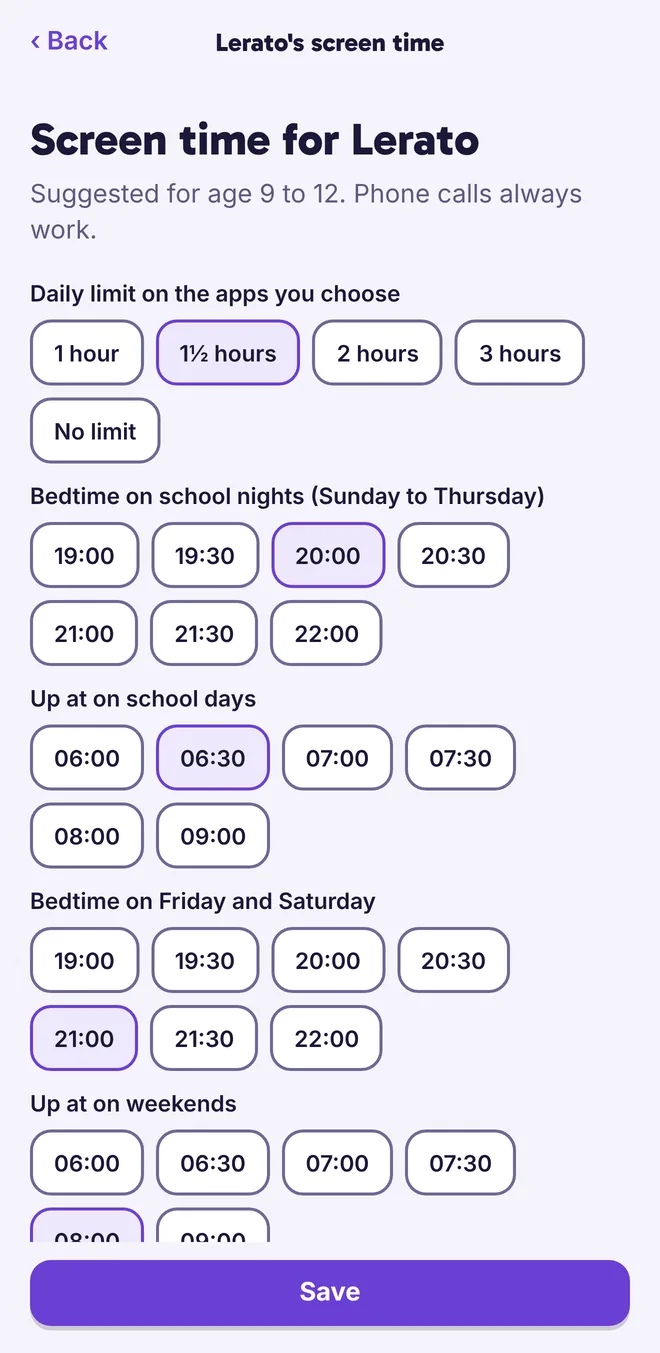
Set a daily limit on the apps you choose, and bedtimes for school nights and weekends. ikhaya locks their iPhone from bedtime to wake-up using Apple’s own Screen Time.
- The apps you pickGames and videos count. School apps and WhatsApp can always work.
- Earn a little extraKids can swap 20 coins for 15 more minutes, once a day. You choose if that’s allowed.
- Private by designApple doesn’t let us see which apps they use, and we don’t want to.
Know what ran out, and who finished it
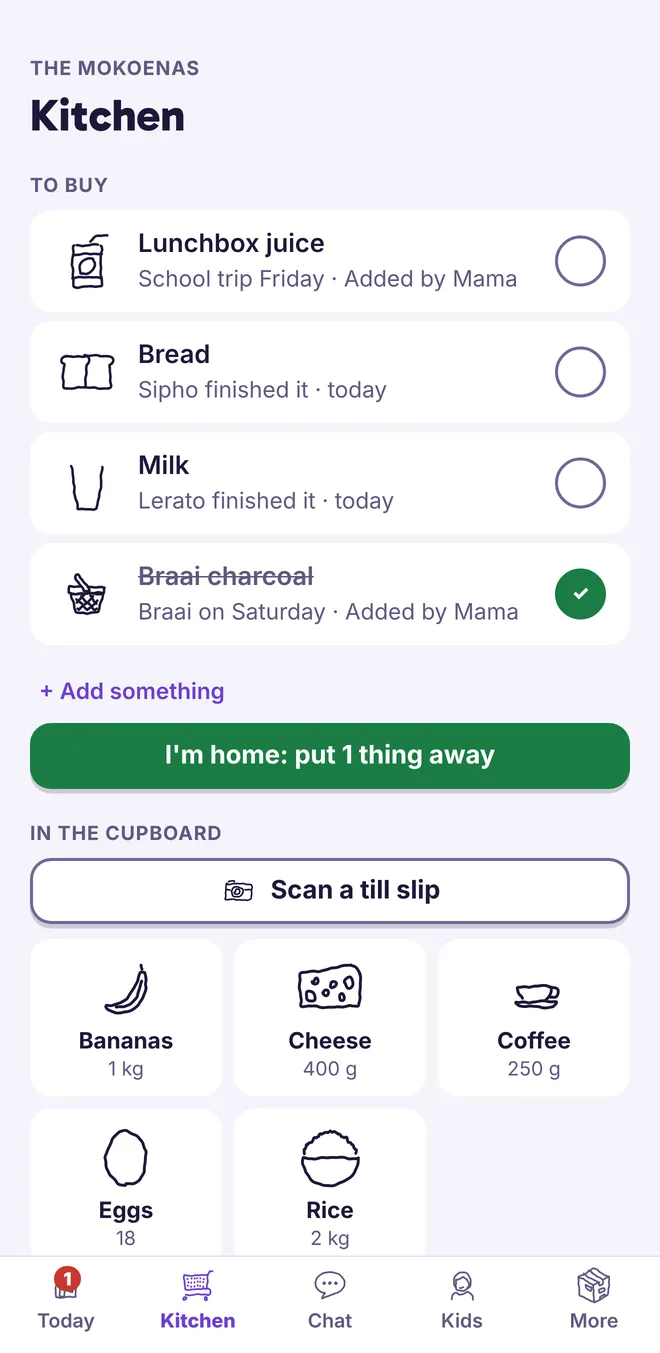
When someone uses the last of the milk, they tap it. It lands on the shopping list with who finished it, and they earn 2 coins for telling you.
- A list with reasons“Braai on Saturday” helps whoever is at the till.
- Snap the till slipThe cupboard fills itself after the shop. Only if you switch it on.
- Tick it in the trolleyThen put it all away with one tap when you get home.
Any old tablet becomes the family board
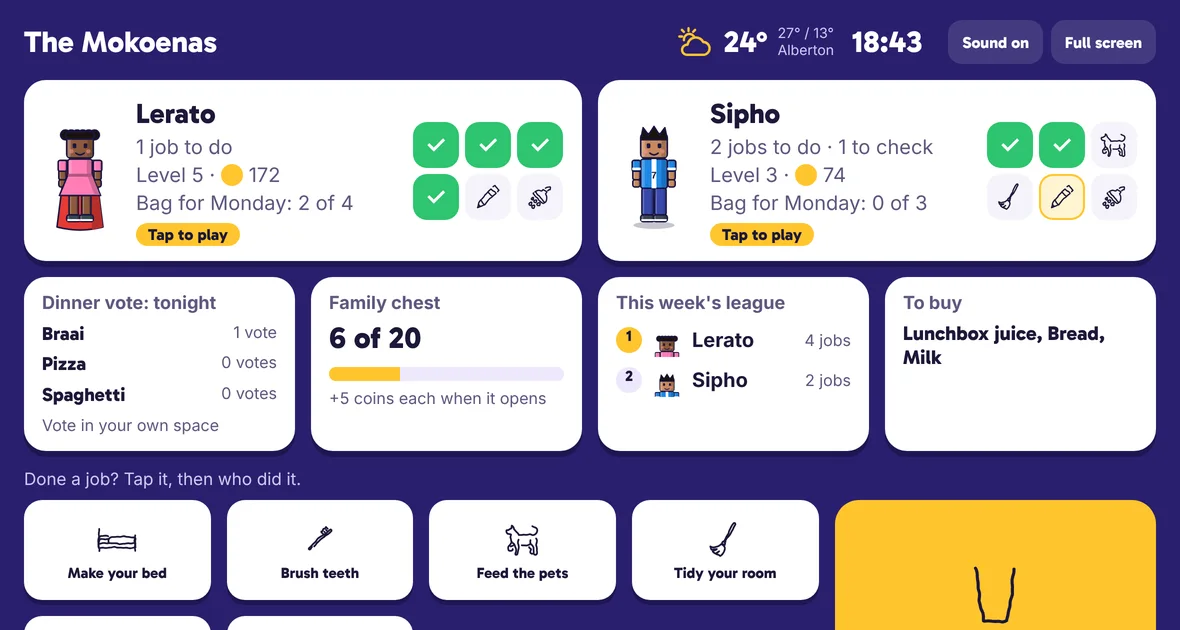
Open myikhaya.co.za/screen in the browser on any tablet, even an old one, and pair it with your phone. Kids without a phone tap their face to tick their jobs.
Made for families, not for adverts
Good to know
What does it cost?
Nothing. ikhaya is free, with no adverts.
Which phones does it work on?
iPhone, with iOS 16 or newer. The kitchen screen works in the browser on any tablet, Android ones too. Kids without a phone use the kitchen screen, or a grown-up ticks for them.
What do I need for screen time?
Your kids need to be in your Apple Family Sharing group, as children. Most iPhone families already are. On your iPhone go to Settings, tap your name, then Family.
What ages is it for?
School-age kids, roughly 5 to 15. Younger kids love the player and the kitchen screen. Teens mostly care about the extra screen time.
Can both parents use it?
Yes. Send an invite from More, then Grown-ups. They tap the link on WhatsApp and they’re in. Gogo too.
What happens to till slip photos?
Only if you switch it on: the photo goes to Groq, a company that reads the items and sends them back. They don’t keep it and neither do we.
